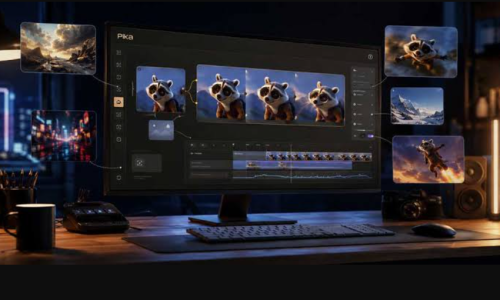

AI video generation has moved far beyond simple experiments with animated images.
Businesses now need short promotional videos, ecommerce advertisements, social-media content, product demonstrations, cinematic visuals, explainer clips, and creative campaigns.
At the same time, many small businesses and creators cannot afford traditional video production for every piece of content they need.
This is where AI video tools can create an opportunity.
One platform attracting significant attention in 2026 is Kling AI.
Kling’s current 3.0 generation combines text-to-video, image-to-video, reference-based generation, native audio, multi-shot storytelling, and other multimodal capabilities. Kling Video 3.0 and Video 3.0 Omni can generate clips of up to 15 seconds, while Omni adds reference-driven workflows, video-element references, and voice control for characters.
These capabilities can be turned into commercial services.
You can create advertising videos for businesses, product videos for ecommerce brands, social-media content for creators, cinematic clips, promotional videos, and other AI-assisted visual content.
The important part is understanding that Kling AI itself isn’t the business.
The business is the service or product you build around the tool.
This guide explains 12 practical ways to make money online with Kling AI in 2026, how to find customers, how to price your services, how to control AI-generation costs, and how to turn individual projects into a recurring business.
What Is Kling AI?
Kling AI is an AI-powered creative platform for generating and editing visual content.
Its current platform includes tools for video generation, image generation, motion control, AI avatars, effects, and other creative workflows.
The Kling 3.0 generation brings several capabilities together.
Kling Video 3.0 supports text-to-video, image-to-video, start-and-end-frame generation, native audio, multi-shot creation, reference-based workflows, multilingual capabilities, and flexible video duration up to 15 seconds.
Kling Video 3.0 Omni is designed more heavily around reference-driven creation.
It supports multiple image references, element references, video-element references, native audio, multi-shot generation, and voice control for referenced characters.
That matters commercially because businesses often don’t simply want a random AI video.
They want a video containing their product, their character, their visual identity, or a particular campaign concept.
Can You Really Make Money With Kling AI?
Yes, but not by simply generating random videos and uploading them everywhere.
The practical money-making opportunity comes from using Kling to create something another person or business values.
For example, you can sell:
- AI advertising videos
- Product videos
- Social-media videos
- YouTube content
- Short-form video packages
- Cinematic promotional videos
- Real-estate visuals
- Music visuals
- Storytelling videos
- AI-assisted creative services
- Video variations for advertising campaigns
- Custom visual content
The basic model is:
Customer problem → Kling AI production → human editing and quality control → finished deliverable → customer payment
The more specific the customer problem, the easier it can be to package your service.
1. Create AI Advertising Videos for Businesses
Advertising is one of the most obvious applications.
Businesses constantly need new creative concepts.
A clothing brand may want a cinematic product advertisement.
A restaurant may want a short promotional video.
A skincare company may want a lifestyle advertisement.
A technology company may want a futuristic product concept.
Kling can help turn written concepts and reference images into short video sequences.
Its current 3.0 model supports native audio and multi-shot storytelling, allowing creators to specify multiple shots and camera directions within a generation.
You can package this into an advertising service.
For example:
AI Ad Creative Package
- 5 video concepts
- Multiple hooks
- Product-focused scenes
- Social-media formats
- Short versions for testing
You aren’t selling “AI video generation.”
You’re selling advertising creative production.
2. Make Product Videos for Ecommerce Brands
Ecommerce businesses are another potential market.
Many sellers have product photographs but don’t have video content.
You can use product references and AI-generated scenes to create short promotional videos.
Possible deliverables include:
- Product introductions
- Lifestyle videos
- Product advertisements
- Feature demonstrations
- Seasonal promotions
- Social-media product clips
- Website promotional videos
Kling’s reference-based generation is particularly relevant when you need visual elements to remain consistent across scenes. Kling’s 3.0 Omni documentation describes multi-image and video-element references designed to preserve subject characteristics.
Imagine a seller gives you:
- Product photograph
- Brand colors
- Product description
- Campaign message
You turn those materials into several short video concepts.
This can be offered as a monthly ecommerce creative service.
3. Sell AI Social-Media Video Packages
Businesses need a constant supply of short-form content.
That makes social media one of the most practical recurring markets.
You can create:
- Instagram Reels
- Facebook videos
- TikTok-style clips
- Promotional Shorts
- Product videos
- Educational visuals
- Announcement videos
Instead of charging for one video, create monthly packages.
Starter
10 short videos per month.
Growth
20 short videos with multiple creative variations.
Business
30 or more videos plus campaign concepts.
Your actual pricing should reflect production time, editing, revisions, generation costs, and your target market.
The important point is recurring demand.
A business that needs videos every month can become more valuable than a customer who orders one video and disappears.
4. Create YouTube Shorts for Creators
Creators are another potential customer group.
Many YouTube channels need more content than the creator can personally produce.
Kling can help create visual sequences for:
- Storytelling channels
- History content
- Science channels
- Automotive channels
- Technology channels
- Motivation content
- Fiction
- Educational videos
For example, a creator could provide you with a script.
You create AI-generated visual sequences.
Then you combine them with narration, music, captions, and editing.
The final deliverable becomes a finished Short rather than an individual AI clip.
This distinction is important.
A creator isn’t necessarily looking for “a Kling video.”
They want:
a finished YouTube Short.
5. Create Cinematic Storytelling Videos
Kling’s multi-shot capabilities create another opportunity.
The current 3.0 models can interpret multiple shots, camera movements, framing, duration, and narrative instructions.
This can be useful for:
- Short stories
- Fictional advertisements
- Cinematic scenes
- Brand storytelling
- Concept films
- Social storytelling
- Music visuals
For example, a brand could want a 15-second cinematic story around a product.
Instead of producing a single static shot, you can structure the generation as:
Shot 1 → product introduction
Shot 2 → character interaction
Shot 3 → product close-up
Shot 4 → final brand moment
You can then edit the generated material into the final campaign.
6. Offer AI Music Video Visuals
Musicians and independent artists constantly need visual content.
You can create AI-generated visuals around:
- Songs
- Album releases
- Singles
- Lyrics
- Artist concepts
- Promotional clips
The artist can provide:
- Song
- Artwork
- Artist photos
- Visual references
- Desired theme
You create short video sequences that match the music.
Kling’s native audio capabilities can also generate audio alongside video in supported workflows, although a professional music-video project may still use the artist’s actual track as the primary audio source.
You can therefore position yourself as an:
AI Music Visual Designer
rather than simply an AI video generator.
7. Create Real-Estate Marketing Videos
Real-estate professionals need marketing content.
An agent may have:
- Property photographs
- Floor plans
- Exterior photographs
- Interior photographs
You can turn these assets into short promotional concepts.
Possible services include:
- Property teaser videos
- Luxury property visuals
- Social-media videos
- Neighborhood concept videos
- Listing promotion clips
- Before-and-after concepts
However, there is an important rule:
Do not present AI-generated property modifications as real features of a property without clearly labeling them.
If an AI system invents a swimming pool, furniture, room size, landscape, or architectural feature, it shouldn’t be presented to buyers as factual property information.
Use AI responsibly as a marketing visualization tool.
8. Create Videos for Automotive Brands and Dealers
Automotive is particularly suitable for cinematic video.
You can create:
- Car launch concepts
- Social-media advertisements
- Feature videos
- Cinematic driving scenes
- Promotional clips
- Concept-car visuals
- Dealer campaigns
For example, a dealership could provide a vehicle photograph.
You could create a cinematic concept around:
“Night drive through a futuristic city.”
Then create multiple versions for social platforms.
Kling’s reference-based capabilities can help keep visual elements consistent when building scenes around reference materials.
You should clearly distinguish AI-generated scenes from actual footage, especially when the content could cause viewers to believe a vehicle has features or performance that it does not actually have.
9. Create AI Explainer Visuals
Businesses frequently need educational videos.
Examples include:
- SaaS companies
- Finance brands
- Education companies
- Healthcare businesses
- Technology companies
- Consulting firms
You can create visual sequences that explain concepts.
For example:
How cloud computing works
or:
How a payment platform processes a transaction
or:
How a smart-home system operates
The AI visuals can illustrate concepts that would otherwise require animation or video production.
You can combine Kling-generated scenes with:
- Voiceover
- Captions
- Screen recordings
- Diagrams
- Motion graphics
The result becomes a complete explainer video.
10. Sell Multilingual Video Content
Kling 3.0 supports native audio workflows and multilingual capabilities, including Chinese, English, Japanese, Korean, and Spanish, with dialect and accent support described in the model documentation.
This creates another possible service.
You can help businesses create localized versions of their video campaigns.
For example:
One campaign → multiple language versions
A company might want:
- English
- Hindi
- Spanish
- Japanese
The exact language capabilities and quality should always be tested for the particular project.
Don’t promise perfect localization automatically.
Human review remains important, particularly for marketing messages.
11. Create AI Character and Story Content
Kling’s reference and element capabilities can be used to maintain recurring characters across scenes.
The 3.0 Omni documentation describes using multiple images or video references to build elements and maintain character or object characteristics through new generations.
This opens up an interesting content business.
You could create:
- Fictional characters
- Educational characters
- Mascots
- Storytelling channels
- Children’s visual stories
- Brand mascots
- Social-media characters
For example, a company could create a recurring mascot that appears in different promotional videos.
You can then produce a series rather than one standalone video.
That creates the possibility of recurring monthly work.
12. Build a Kling-Powered AI Video Agency
Instead of freelancing for individual projects, you can build a specialized agency.
Your agency could offer:
- Product videos
- Advertising creatives
- Social videos
- YouTube Shorts
- Automotive videos
- Real-estate visuals
- Brand storytelling
- Music visuals
- Explainer videos
Kling becomes one component of your production stack.
Other tools can handle:
- Voiceover
- Editing
- Captions
- Music
- Research
- Copywriting
- Project management
- Publishing
The customer doesn’t need to understand your entire workflow.
They need a reliable creative partner.
Why Kling’s 3.0 Capabilities Matter for Commercial Work
AI video tools have historically struggled with consistency.
A character might look different from one shot to another.
A product might change shape.
A scene might lose important details.
Kling’s current 3.0 generation puts significant emphasis on reference-based consistency and multimodal control. Kling says Video 3.0 Omni can use image and video references to maintain subject characteristics across new scenes.
This is important for commercial applications.
A business doesn’t necessarily want:
“Generate me something cool.”
It wants:
“Show this particular product in a consistent campaign.”
That is a much more useful commercial requirement.
Kling AI Pricing and Credit Economics
Understanding credits is important if you plan to make money with AI video.
Kling uses a credit system.
Its current credit policy says subscription credits are distributed during the subscription period and generally remain valid for one month, while purchased credits have a longer validity period. The policy also states a standard purchase reference of $1 for 66 credits, while noting that pricing and promotional rules can change.
Kling’s current Video 3.0 pricing varies according to resolution, audio mode, and duration.
For example, its published pricing currently lists:
- 1080p native audio: 12 credits per second
- 720p native audio: 9 credits per second
- 1080p without native audio: 8 credits per second
- 720p without native audio: 6 credits per second
Voice Control has an additional published credit rate.
For Video 3.0 Omni, the current guide lists 12 credits per second for 1080p with native audio and 9 credits per second for 720p with native audio when no video input is used.
This means you should not price your services without considering generation costs.
How to Calculate Your Service Price
Suppose you are producing a client video.
Your cost isn’t only the AI generation.
Consider:
AI credits
Editing time
Voiceover
Music
Software
Revisions
Project management
Your profit margin
=
Client price
For example, if a 15-second final video requires multiple generations before you obtain a usable result, your actual AI consumption could be considerably higher than the cost of the final clip.
Therefore, don’t calculate your pricing from the final output length alone.
Calculate the entire production workflow.
Don’t Sell “One AI Video”
This is one of the most important lessons.
Imagine two offers.
Offer A
“I will generate a 10-second AI video.”
Offer B
“I will create five product advertising concepts for your next social-media campaign.”
The second offer is more closely connected to a business requirement.
Your customer isn’t buying seconds of generated video.
They’re buying creative output.
This distinction can make your service easier to sell.
How to Find Your First Kling AI Clients
Start with one niche.
For example:
Ecommerce brands
Build five sample projects.
Create:
- Product advertisement
- Lifestyle product video
- Sale campaign
- Product feature video
- Social-media version
Then create a simple portfolio.
Contact relevant businesses.
Your message should focus on what you can create for them.
Avoid generic messages such as:
“I am an AI video expert. Do you need videos?”
Instead:
“I create short product videos and advertising creatives for ecommerce brands using AI-assisted production.”
The second message explains your service more clearly.
Build Spec Projects Before Getting Paid Clients
You don’t need to wait for customers to build your portfolio.
Create hypothetical projects.
For example, choose a fictional sneaker brand.
Create:
- Product launch video
- Lifestyle scene
- Promotional advertisement
- Social-media clip
- Sale campaign
Now you have a complete campaign example.
Create another for:
- Automotive
- Technology
- Food
- Fashion
Then choose one niche where your work looks strongest.
Offer a Free Sample Carefully
You may sometimes create a small sample for a high-quality prospect.
But don’t turn your business into unlimited free work.
A better approach is to create one short concept.
For example:
“I created a 5-second concept using your product as an example.”
If the customer likes it, discuss a paid package.
Your goal is to demonstrate capability, not provide an entire campaign for free.
Create Recurring Video Packages
Recurring work can be particularly useful for AI video services.
For example:
Social Video Package
12 videos per month.
Ecommerce Package
20 product creatives per month.
Creator Package
30 Shorts per month.
Brand Package
8 premium campaign videos per month.
The exact pricing depends on your workflow.
The important thing is to define:
- Number of videos
- Video length
- Resolution
- Number of revisions
- Delivery schedule
- Included editing
- Voiceover requirements
- Additional generation costs
Clear boundaries prevent endless revisions.
Use Kling’s Multi-Shot Features for Higher-Value Projects
Instead of creating disconnected clips, learn basic storytelling.
A 15-second commercial can have several shots.
For example:
Shot 1 — Establishing scene
The customer enters a modern environment.
Shot 2 — Product introduction
The product appears.
Shot 3 — Close-up
The camera focuses on a key feature.
Shot 4 — Final brand shot
The product and CTA appear.
Kling 3.0’s multi-shot capabilities are designed to handle this type of structured narrative.
Learning basic cinematography can therefore increase the value of your AI-video services.
Understand:
- Wide shots
- Medium shots
- Close-ups
- Camera movement
- Composition
- Lighting
- Pacing
- Continuity
AI can generate the footage.
You still need to direct it.
Create Product Variations Efficiently
One customer might need the same campaign in several versions.
For example:
Product A
Product B
Product C
Product D
Instead of creating completely independent concepts, establish a visual system.
Maintain:
- Same campaign style
- Similar camera language
- Similar lighting
- Similar typography
- Similar color treatment
Then swap the product references.
Kling’s reference-based workflows are designed to support more controlled generation around referenced elements.
This can make production more scalable.
How to Make AI Videos Look More Professional
The first generation isn’t necessarily the final product.
Professional results require review.
Check:
Subject consistency
Does the product remain the same?
Hands and faces
Are there visible artifacts?
Text
Is every word correct?
Product details
Are logos, buttons, materials, and proportions accurate?
Motion
Does movement look natural?
Lighting
Does the light remain consistent?
Audio
Does dialogue match the intended character?
Editing
Do the shots flow naturally?
Don’t deliver an AI-generated clip without reviewing it frame by frame when the project matters commercially.
Important Rules for Voice and Character Work
Kling’s 3.0 Omni documentation describes voice binding for reference-based characters, including using speech samples to extract a character’s voice tone.
This can be useful for fictional characters or authorized client projects.
However, voice and likeness can involve significant rights issues.
Don’t clone or imitate a real person’s voice or appearance without appropriate authorization.
For commercial work, make sure the client has the necessary rights to the supplied images, videos, voices, characters, and other reference materials.
Don’t Misrepresent AI-Generated Content
Transparency matters.
If you’re creating a fictional advertisement, concept vehicle, imaginary property transformation, or synthetic spokesperson, don’t present it as authentic footage when that could mislead viewers.
This is particularly important in:
- Real estate
- Automotive
- Healthcare
- Finance
- Product advertising
- News
- Political content
Your client should know exactly what they’re receiving.
Can You Make Money Selling Kling AI Videos Directly?
Yes, but there are several business models.
Freelancing
Create videos for individual customers.
Agency
Manage recurring video production for multiple businesses.
Digital products
Sell templates, assets, or educational materials where the applicable rights permit it.
Content channels
Build your own channels using AI-assisted video production.
SaaS
Use APIs or integrations to build a specialized application, subject to applicable licensing and platform terms.
Each model has different requirements.
Freelancing is generally simpler to start.
SaaS can be more technically demanding.
A content channel requires audience development.
An agency requires sales and client management.
Choose the model based on the skills and resources you actually have.
Build a Kling AI Content Channel
You don’t have to sell services.
You can use Kling to produce your own content.
Potential channel ideas include:
- AI cinematic stories
- Futuristic technology
- Automotive concepts
- Fantasy worlds
- Short fictional films
- Historical visualizations
- Product concepts
- AI filmmaking experiments
You can monetize a successful audience through platform monetization, sponsorships, affiliate relationships, digital products, or services where applicable.
However, simply uploading large quantities of low-effort AI content is unlikely to create a sustainable business by itself.
The content still needs:
- Story
- Originality
- Editing
- Audience understanding
- Consistent publishing
- Strong hooks
A 30-Day Plan to Start Making Money With Kling AI
You don’t need a large production company to test the idea.
Days 1–5: Learn Kling
Explore:
- Text-to-video
- Image-to-video
- Video 3.0
- Video 3.0 Omni
- Native Audio
- Multi-shot
- Element references
- Voice control
Create practice videos.
Days 6–10: Pick One Niche
Choose one market.
For example:
Ecommerce brands
Don’t try to serve everyone.
Days 11–15: Build Your Portfolio
Create 10–15 polished examples.
Build complete campaigns rather than random clips.
Days 16–18: Create Your Offer
For example:
“12 product videos per month for ecommerce brands.”
Define the exact deliverables.
Days 19–25: Start Outreach
Find relevant prospects.
Send personalized messages.
Show examples relevant to their products.
Days 26–30: Optimize
Track:
- Replies
- Calls
- Sample requests
- Paid projects
- Revision requests
- Production time
- AI credit usage
Then improve your offer.
The objective is to discover what customers actually value.
Five Kling AI Businesses You Could Start
If you want to keep the business simple, consider these models.
AI Ecommerce Video Studio
Create product videos and advertising creatives.
AI Social Video Agency
Create monthly short-form videos for businesses.
AI YouTube Shorts Studio
Produce visual Shorts for creators.
AI Automotive Creative Studio
Create cinematic promotional videos for dealers and automotive brands.
AI Storytelling Studio
Create short cinematic stories and branded narrative content.
Start with one.
Once you have repeatable demand, expand.
Common Mistakes to Avoid
Generating without a business objective
A beautiful video isn’t automatically commercially useful.
Pricing by final video length
Generation attempts can make production costs much higher than the final duration suggests.
Ignoring AI credit costs
Track your actual generation consumption.
Delivering raw outputs
Edit and quality-check the final content.
Making unrealistic product claims
Don’t let AI invent product features that don’t exist.
Cloning people without authorization
Use voices, faces, and reference materials only with appropriate rights.
Offering everything
Start with one niche.
Underpricing
Your price should account for generation, editing, revisions, software, and your time.
Promising guaranteed marketing results
You can provide creative assets, but you cannot guarantee sales or virality.
How to Scale Your Kling AI Business
Once you have several customers, document the workflow.
Create templates for:
- Client briefs
- Prompt structures
- Shot lists
- Production
- Quality control
- File naming
- Delivery
- Revision requests
Then identify repetitive tasks.
For example:
If every ecommerce customer needs five product videos, build a repeatable system.
If every YouTube customer needs 20 Shorts, develop a standardized workflow.
The goal is to turn:
Creative skill → repeatable process → scalable service
The Bigger Opportunity: AI Video Production
Kling is only one part of a rapidly changing AI-video ecosystem.
The transferable skill isn’t memorizing one model.
It’s learning how to produce effective visual content with AI.
Learn:
- Storyboarding
- Cinematography
- Prompting
- Editing
- Sound design
- Marketing
- Branding
- Client communication
If a different AI video model becomes more capable next year, those skills remain valuable.
The tool may change.
The production knowledge doesn’t disappear.
Final Thoughts
Kling AI provides several ways to build an online income stream around AI-assisted video production.
You can create ecommerce videos, advertising creatives, social-media content, YouTube Shorts, automotive visuals, real-estate marketing content, music visuals, explainers, cinematic stories, and recurring creative packages.
Its current 3.0 generation combines video generation with native audio, multi-shot storytelling, reference-based generation, and longer outputs, while 3.0 Omni adds deeper reference and voice-control capabilities.
The important lesson is that you shouldn’t build your business around simply saying:
“I know how to use Kling AI.”
Instead, build an offer around:
“I can produce this specific type of content for this specific type of customer.”
For example:
“I create monthly product videos for ecommerce brands.”
That is a business proposition.
Choose one niche.
Build a portfolio.
Create a repeatable workflow.
Track your AI costs.
Find customers.
Deliver polished work.
Then turn successful projects into recurring contracts.
AI video generation can make production faster, but storytelling, creative direction, marketing knowledge, quality control, and customer relationships are what can turn the technology into a sustainable online business.