Creating long-form video content is only half the job for many creators and businesses.
The bigger challenge is turning that one piece of content into enough short-form content for YouTube Shorts, Instagram Reels, TikTok, LinkedIn and other platforms.
A one-hour podcast might contain dozens of useful moments.
A webinar could contain multiple educational clips.
A YouTube interview could produce weeks of short-form content.
A business presentation could become several social-media videos.
The problem is that manually finding, editing, captioning, resizing and publishing all those clips can take hours.
This is where AI video repurposing tools are becoming useful.
One platform that has built its business around this workflow is OpusClip.
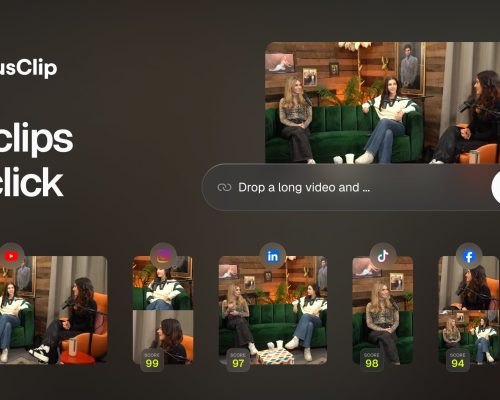
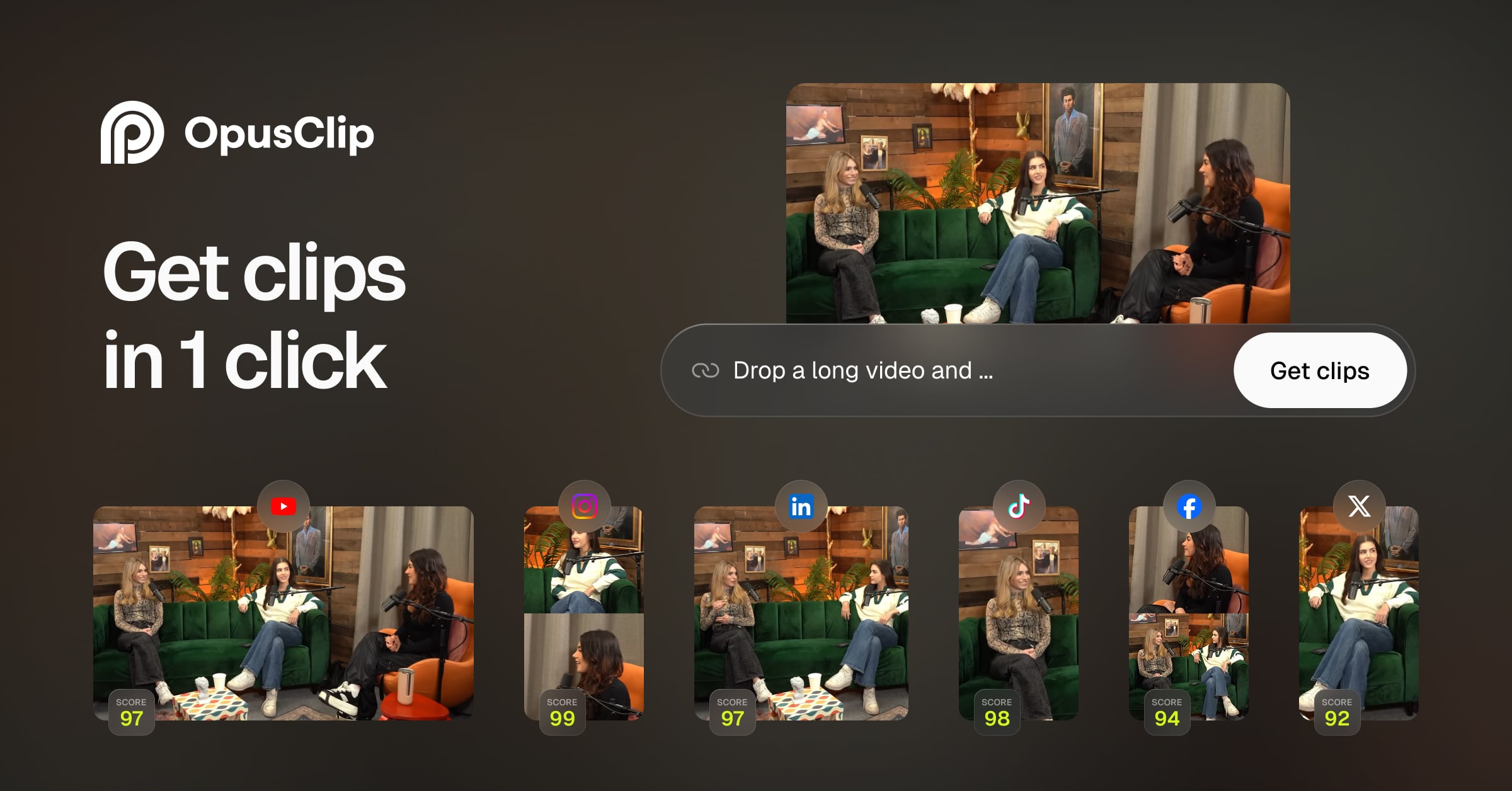
OpusClip is an AI-powered video clipping and editing platform that can analyze long-form videos, identify potentially useful moments, create short clips, add captions, reframe videos and prepare content for social platforms. Its current feature set also includes AI B-roll, audio enhancement, AI voiceover, scheduling and analytics-related workflows.
That creates a practical opportunity for freelancers.
Instead of trying to become a professional video editor overnight, you can use OpusClip to build a specialized video repurposing service.
You can help creators turn podcasts into Shorts.
You can help businesses turn webinars into social content.
You can help coaches turn long training videos into educational clips.
You can help agencies repurpose client content at scale.
And you can potentially build your own content business using the same workflow.
This guide explains how to make money online with OpusClip in 2026, including 12 practical monetization methods, how to find clients, how to package your services, pricing considerations, and how to build a recurring AI video-repurposing business.
What Is OpusClip?
OpusClip is an AI video clipping and editing platform designed primarily around turning longer videos into shorter social-media content.
Its current workflow can take videos from sources such as YouTube, Google Drive, Vimeo, Zoom, Twitch, LinkedIn, Loom, Riverside and other supported platforms, depending on the plan.
The platform can automatically identify highlights and create short-form clips.
It also provides tools for:
- AI clipping
- AI captions
- AI reframing
- AI B-roll
- Audio enhancement
- AI voiceover
- Filler and silence removal
- Social-media scheduling
- Multiple aspect ratios
- Video editing
- Adobe Premiere Pro export
- DaVinci Resolve export
- Video dubbing
OpusClip says its AI captioning supports more than 20 languages and reports caption accuracy of more than 97%, while its current language support covers a much broader list of languages for video processing.
The important part for someone trying to make money is that OpusClip can reduce the amount of repetitive editing involved in content repurposing.
Can You Make Money With OpusClip?
Yes, but the business opportunity isn’t simply using the software.
The money comes from selling the result.
A creator doesn’t necessarily want “OpusClip editing.”
They want:
20 short videos from their podcast every month.
A business doesn’t want “AI clipping.”
It wants:
social-media content from its webinars and interviews.
An agency doesn’t want another AI tool.
It wants:
a production partner who can turn long client videos into dozens of social assets every month.
That’s the difference between selling a tool and selling a service.
Your business can follow this simple model:
Long-form video → AI repurposing → human editing → short-form content → client
1. Start a Video Repurposing Service
The most straightforward way to make money with OpusClip is to offer video repurposing as a freelance service.
Your client gives you a long video.
You identify useful moments.
OpusClip generates potential clips.
You review and refine them.
You add branding and make final adjustments.
Then you deliver the finished Shorts or Reels.
For example, a client gives you a 60-minute podcast.
You could turn it into:
- 5 short clips
- 10 short clips
- 20 short clips
- 30 short clips
depending on the quality of the source material and the client’s requirements.
You can sell this as a monthly package.
Example service packages
Starter
5 short clips per month.
Growth
15 short clips per month.
Pro
30 short clips per month.
Agency
High-volume monthly repurposing.
These aren’t fixed market prices.
Your pricing should depend on video length, editing complexity, number of revisions, branding requirements and your software costs.
2. Repurpose Podcasts Into Shorts
Podcasters are one of the clearest customer groups.
A podcast episode can be 30 minutes, one hour or several hours long.
But the creator needs content across multiple platforms.
You can offer:
Podcast-to-Shorts Service
The client sends you the episode.
You identify the strongest moments.
You create vertical clips.
You add captions.
You improve framing.
You add B-roll where appropriate.
You deliver social-ready videos.
OpusClip is specifically designed to identify compelling moments and turn longer content into short videos. Its current AI clipping system can analyze spoken words, visual elements, sound, emotion and other signals depending on the plan.
This makes podcast repurposing a natural use case.
3. Create YouTube Shorts for Creators
YouTubers often have a large library of long-form videos.
That library can become a content asset.
You can offer creators a service where you transform their existing videos into Shorts.
For example:
One 20-minute YouTube video
↓
5 short clips
↓
5 captions
↓
5 thumbnails or cover frames
↓
Multiple social formats
This can save the creator significant editing time.
You can target channels in niches such as:
- Technology
- Business
- Marketing
- Fitness
- Education
- Automotive
- Travel
- Finance
- Gaming
- Podcasts
A niche can make client acquisition easier because you understand the type of content you’re editing.
4. Offer Social Media Content Repurposing to Businesses
Businesses increasingly create webinars, interviews, product demonstrations and educational videos.
But many don’t turn those videos into enough social content.
You can solve that problem.
For example, a SaaS company records a 45-minute product webinar.
You can transform it into:
- LinkedIn clips
- Instagram Reels
- YouTube Shorts
- Educational clips
- Product-feature videos
- FAQ videos
You can then package the service as a monthly content-retainer.
Example workflow
Monthly webinar
↓
AI clipping
↓
15 short videos
↓
Branding
↓
Captions
↓
Social scheduling
This creates a recurring service rather than a one-time editing project.
5. Repurpose Webinar Content
Webinars contain valuable information but often disappear after the live event.
You can turn one webinar into an entire content library.
For example:
A 60-minute webinar might contain sections about:
- Common customer problems
- Industry trends
- Product features
- Expert advice
- Frequently asked questions
- Case studies
Each section can become a short video.
The final package could include:
1 webinar
10–20 short clips
Social captions
Multiple aspect ratios
Branded templates
This is particularly useful for B2B companies.
6. Help Coaches Turn Long Videos Into Educational Content
Coaches and consultants regularly create long-form educational content.
Examples include:
- Business coaching
- Career coaching
- Fitness coaching
- Marketing consulting
- Sales coaching
- Productivity coaching
- Leadership training
A coach might record one long lesson.
You can transform that lesson into multiple educational clips.
For example:
“3 mistakes new salespeople make”
“How to handle a difficult client”
“The biggest productivity mistake”
Each clip becomes an independent piece of content.
This makes your service more valuable than simply cutting random moments.
You’re helping the client build a content strategy.
7. Create LinkedIn Video Content for B2B Professionals
LinkedIn is another strong market for video repurposing.
Founders, executives, consultants and marketers often have valuable ideas but don’t publish enough video.
You can take:
- Podcasts
- Interviews
- Webinars
- Presentations
- Recorded meetings
- Educational videos
and turn them into LinkedIn-ready clips.
You can also help with captions and formatting.
A monthly package could contain:
12 LinkedIn videos
plus:
12 post captions
plus:
monthly content planning
That turns video editing into a broader personal-brand service.
8. Build a Video Repurposing Agency
Once you have several clients, you can turn your freelance service into an agency.
Instead of doing everything yourself, you can create a standardized workflow.
For example:
Stage 1 — Client Upload
The client uploads long-form videos.
Stage 2 — AI Processing
OpusClip generates potential clips.
Stage 3 — Human Review
You or an editor selects the strongest clips.
Stage 4 — Branding
Add:
- Fonts
- Logo
- Colors
- Caption style
- Intro/outro
Stage 5 — Quality Control
Check:
- Captions
- Cuts
- Audio
- Framing
- Claims
- Branding
Stage 6 — Delivery
Send the final clips to the client.
This system can support multiple customers.
OpusClip’s current business plans include team workspaces, larger-scale usage, API access and custom integrations for organizations.
9. Sell AI Video Editing to Marketing Agencies
You don’t have to find individual businesses.
Marketing agencies are potential customers too.
An agency may manage social media for 20 clients.
Those clients might produce podcasts, webinars or interviews.
The agency may need someone to turn all that footage into short-form content.
You can become its white-label video-repurposing partner.
The agency sends you the source material.
You create the clips.
The agency delivers them to its clients.
This model can be attractive because one agency can potentially bring multiple accounts.
Your offer could be
White-Label Short-Form Video Production
- Long-form video processing
- Short-form clipping
- Captions
- Reframing
- Branding
- B-roll
- Delivery
The agency remains the client-facing business.
You operate behind the scenes.
10. Create Multilingual Short-Form Content
Another opportunity is multilingual video repurposing.
OpusClip currently supports video processing across more than 20 languages, including English, Spanish, German, French, Portuguese, Italian, Dutch, Japanese, Korean, Vietnamese and others.
This creates opportunities for creators and companies that publish internationally.
For example, you could take an English-language long-form video and create short-form content for different language audiences where the available workflow and client requirements support it.
You can combine:
- AI clipping
- Captions
- Translation or dubbing workflows
- Reframing
- Branding
This can make your service more specialized.
Instead of simply saying:
“I edit Shorts.”
you could say:
“I help businesses repurpose long-form content into multilingual short-form social videos.”
That is a more differentiated offer.
11. Offer Video Content Packages to Real-Estate Businesses
Real-estate professionals create plenty of video material.
This could include:
- Property tours
- Market updates
- Interviews
- Q&A sessions
- Neighborhood guides
- Buyer education
- Seller education
You can transform long videos into short-form clips.
For example, one property-tour video could become multiple social posts.
One market-update video could become several educational clips.
You can offer a monthly package to agents or real-estate teams.
Example package
Real Estate Content Engine
- 4 long videos processed
- 20 short clips
- Captions
- Vertical formatting
- Branded templates
- Social-ready delivery
Again, the exact price depends on scope.
12. Build Your Own Content Repurposing Business
You don’t have to serve clients forever.
You can use OpusClip for your own content.
For example, you could build a YouTube channel around:
- AI tools
- Digital marketing
- Business
- Technology
- Automotive
- Education
- Interviews
- Podcasts
Record long-form content.
Then turn each episode into multiple Shorts.
This allows you to distribute one piece of content across multiple platforms.
OpusClip supports automatic posting to platforms such as YouTube Shorts, TikTok and Instagram Reels on applicable plans.
You can then monetize your own audience through:
- YouTube monetization
- Sponsorships
- Affiliate marketing
- Digital products
- Courses
- Consulting
- Services
The important thing is that the content should provide genuine value.
AI repurposing should make production easier, not turn your channel into a stream of repetitive clips.
How Much Can You Make With OpusClip?
There is no guaranteed income.
Your earnings depend on:
- Number of clients
- Monthly deliverables
- Editing quality
- Niche
- Sales ability
- Client retention
- Production costs
- Revision requirements
You can think about the business in terms of monthly output.
For example:
5 clients × 10 clips each = 50 clips/month
or:
10 clients × 20 clips each = 200 clips/month
The second model requires a much more efficient workflow.
That is why automation and standardized editing become important as you grow.
Don’t Charge Only Per Clip
A common mistake is thinking:
“I should charge ₹X per Short.”
That can work for some freelancers, but it may not reflect the complete value.
Consider what you’re actually doing.
You may be:
- Reviewing a one-hour video
- Finding strong moments
- Editing clips
- Adding captions
- Reframing
- Adding B-roll
- Cleaning audio
- Creating hooks
- Revising content
- Uploading files
The client is buying a content-production workflow.
Monthly packages can therefore be easier to manage.
OpusClip Pricing and Business Costs
OpusClip currently offers Free, Starter, Pro and Business plans.
Its current pricing page lists the Starter plan at $15/month and Pro at $29/month when billed monthly, while annual billing is presented at lower effective monthly rates. Business pricing is customized.
The Free plan currently provides 60 credits per month, while the new-user trial provides additional Pro-plan access for a limited period.
Features and limits can change, so check the current plan before calculating client pricing.
Your actual business costs can include:
- OpusClip subscription
- Additional editing software
- Cloud storage
- Internet
- Payment processing
- Editor costs
- Your time
- Client revisions
You need to account for all of these before deciding what to charge.
How to Start an OpusClip Freelance Business
The biggest mistake would be offering every possible service on day one.
Choose one customer.
Then solve one problem.
For example:
“I turn podcasts into 20 Shorts every month.”
That’s simple.
Or:
“I help SaaS companies turn webinars into LinkedIn and YouTube Shorts.”
That’s even more specialized.
Step 1: Learn OpusClip
Start with your own videos.
Take a long video.
Generate clips.
Study which moments the AI selects.
Then manually evaluate them.
Ask:
- Was the hook strong?
- Does the clip make sense without context?
- Is the first few seconds interesting?
- Are captions correct?
- Is the framing good?
- Is the ending satisfying?
Don’t assume the AI’s selection is automatically the best selection.
Human judgment is still important.
Step 2: Learn Short-Form Content
Understanding short-form content is more important than knowing every OpusClip feature.
Study:
- Hooks
- Retention
- Pacing
- Storytelling
- Captions
- Visual changes
- Context
- Calls to action
A technically perfect clip can still perform poorly if the content itself isn’t interesting.
Step 3: Choose a Niche
Pick one.
For example:
Podcasters
Now your entire portfolio can focus on podcasts.
Create examples showing:
- Interview clips
- Educational clips
- Debate clips
- Storytelling clips
- Expert clips
This makes your service easier to understand.
Step 4: Build a Portfolio
You don’t need paying customers to start.
Create sample projects.
Use your own content or content you have permission to use.
Clearly label portfolio samples.
Show the original long-form video and the resulting Shorts.
This makes the transformation obvious.
How to Find Your First OpusClip Clients
Potential clients include:
- Podcasters
- YouTubers
- Coaches
- Consultants
- SaaS founders
- Marketing agencies
- Real-estate agents
- Educators
- Influencers
- Businesses
Look for people who already publish long-form video.
That’s important.
You don’t want to convince someone to start making video before you can sell your service.
Find people who already have the raw material.
Then show them how much more content they could extract from it.
A Simple Outreach Strategy
Instead of sending:
“Hi, I offer AI video editing.”
Try something more specific.
For example:
“I noticed you publish long-form interviews. I help creators turn each episode into multiple captioned Shorts and Reels so they can distribute the same content across social platforms.”
Then provide a relevant portfolio example.
You can also create one sample clip from a publicly available video only when your use complies with the applicable rights and platform rules.
Don’t use someone else’s content commercially without permission.
Build a Before-and-After Portfolio
This is particularly effective for video-repurposing services.
Show:
60-minute podcast
↓
12 short-form clips
Then explain:
- Strong moments selected
- Captions added
- Video reframed
- Silence removed
- B-roll added where appropriate
- Branding applied
The client immediately understands the service.
Turn One Client Into Recurring Revenue
Suppose a podcaster publishes four episodes every month.
That is four opportunities for repurposing.
Instead of selling one project, offer:
Monthly Podcast Repurposing
For example:
4 episodes
↓
20–40 Shorts
↓
Captions
↓
Branding
↓
Delivery
Now your client has a reason to keep paying you.
This recurring model is much more interesting than constantly searching for one-off projects.
Add Strategy to Your Service
You can increase your value by helping clients decide what to publish.
For example, don’t simply deliver 20 clips.
Organize them into categories:
Educational
Useful tips.
Authority
Expert opinions.
Storytelling
Personal experiences.
Promotional
Product or service mentions.
Engagement
Questions and controversial-but-responsible discussion points.
This turns video editing into content strategy.
Use AI B-Roll Carefully
OpusClip currently offers AI B-roll functionality that can add contextual visual material to videos.
This can make certain clips more visually interesting.
But don’t add irrelevant footage simply because AI can generate it.
The B-roll should support the spoken content.
If someone is discussing a specific product, the visual should reinforce that topic.
If the B-roll distracts viewers, remove it.
Use AI Reframing to Create Multiple Formats
One of the biggest advantages of automated video repurposing is adapting content to different screen formats.
OpusClip’s AI Reframe supports 9:16, 1:1 and 16:9 formats and can track moving subjects and objects when reframing.
That means one source video can become:
YouTube
16:9
Instagram Reels / Shorts
9:16
Square social content
1:1
This makes the same source material more versatile.
Create Content for Agencies
Agencies can be particularly valuable clients.
Imagine an agency has:
20 customers.
Each customer creates:
4 long videos per month.
That’s potentially 80 source videos.
The agency may not have enough editors.
You could become its AI-assisted production partner.
You can standardize:
- File naming
- Brand templates
- Caption styles
- Delivery folders
- Revision process
- Monthly reporting
At this stage, your business becomes a production operation rather than a simple freelance gig.
Use OpusClip’s Team and Business Features
For larger workflows, OpusClip offers team-oriented features.
Its Pro plan includes a team workspace, social account connections, brand templates and export capabilities, while its Business offering adds customized credits, team seats, API/custom integrations, dedicated storage and other enterprise-oriented features.
You don’t need these features when you’re starting.
But they become relevant when you’re managing multiple customers or building an agency.
Build an Automated Content Pipeline
At scale, you can create a workflow such as:
Client uploads video
↓
OpusClip processes video
↓
AI selects clips
↓
Editor reviews clips
↓
Brand template applied
↓
Captions checked
↓
Final approval
↓
Client delivery
↓
Social scheduling
This workflow can significantly reduce repetitive work.
But keep a human review step.
AI can misunderstand context.
A clip can look interesting but be misleading when removed from the original conversation.
That’s particularly important for business, finance, health and educational content.
Don’t Chase “Viral” Claims
OpusClip uses concepts such as a Virality Score to help identify potentially strong clips.
But no AI score can guarantee that a video will go viral.
Treat such scores as a selection aid, not a prediction.
Your job is to create clips with:
- Strong context
- Clear hooks
- Useful information
- Good pacing
- Accurate captions
- Appropriate formatting
Performance will still depend on the audience, topic, platform and distribution.
A 30-Day Plan to Make Money With OpusClip
Days 1–7: Learn the Workflow
Take several long videos.
Create Shorts.
Compare AI-selected clips with your own selections.
Learn what makes a good short-form video.
Days 8–14: Pick a Niche
Choose one customer type.
For example:
Podcasters
or:
SaaS founders
Build your portfolio around that audience.
Days 15–21: Create Your Offer
Decide what you’re selling.
For example:
Podcast-to-Shorts Monthly Service
Define:
- Number of episodes
- Number of clips
- Caption style
- Branding
- Revisions
- Delivery time
Days 22–30: Find Clients
Contact potential customers.
Focus on people already producing long-form video.
Show your portfolio.
Offer a small pilot.
Then turn successful projects into monthly retainers.
Common Mistakes to Avoid
Sending Every AI-Generated Clip to the Client
AI suggestions still need human review.
Removing Important Context
A clip should make sense on its own.
Using Clickbait Hooks
Don’t distort what the speaker actually said.
Ignoring Copyright
Only process and publish footage you have the right to use.
Overusing B-Roll
B-roll should support the story.
Making Every Video Look Identical
Use branding without destroying variety.
Competing Only on Price
Your advantage should be speed, quality, strategy and consistency.
Promising Viral Results
No tool can guarantee viral performance.
OpusClip for Indian Freelancers
OpusClip can also be interesting for freelancers targeting Indian businesses.
There is a huge potential customer base consisting of:
- Coaches
- Educators
- Podcasters
- YouTubers
- Real-estate professionals
- Digital marketers
- Consultants
- Small businesses
- Startups
You can also specialize in Indian-language content where the platform supports the required language and workflow.
For example, you could build a service around:
Hindi Podcast → Shorts
or:
English Webinar → Hindi Social Clips
or:
Indian Business YouTube → LinkedIn Shorts
This can help you differentiate from generic international video-editing services.
OpusClip + Your Existing Digital Marketing Skills
If you already understand digital marketing, the opportunity becomes even stronger.
You can combine:
Video Repurposing + SEO
Create searchable YouTube clips.
Video Repurposing + Social Media
Build monthly content calendars.
Video Repurposing + Content Marketing
Turn webinars into blog ideas, social posts and videos.
Video Repurposing + Personal Branding
Help founders build consistent content.
Video Repurposing + Performance Marketing
Create multiple advertising variations.
You’re no longer just an editor.
You’re providing a content-marketing service.
The Most Scalable Model: Content Repurposing Retainers
The strongest business model isn’t necessarily:
“I’ll edit one video for you.”
It can be:
“I’ll turn everything you publish each month into short-form content.”
That creates a recurring workflow.
For example:
Monthly Creator Package
4 long-form videos
↓
20 Shorts
↓
Captions
↓
Branding
↓
Social-ready files
This can be repeated every month.
The creator keeps producing long-form content.
You keep turning that content into additional distribution.
Final Thoughts
OpusClip is an interesting AI tool for making money online because it solves a very specific problem.
People are already creating long-form videos.
They simply don’t have enough time to turn those videos into short-form content.
That gap creates a service opportunity.
You can turn podcasts into Shorts.
You can transform webinars into social content.
You can help YouTubers build short-form libraries.
You can create LinkedIn videos for founders.
You can work with coaches and consultants.
You can become a white-label production partner for marketing agencies.
You can offer multilingual repurposing.
Or you can use the same workflow to build your own content business.
OpusClip currently combines AI clipping with captions, reframing, B-roll, audio enhancement, voiceover and social publishing capabilities, making it possible to build a fairly complete repurposing workflow around one platform.
But the software is not the real business.
The real business is content repurposing.
Your clients don’t care how quickly an AI model found a clip.
They care that their one-hour podcast became 15 useful Shorts.
They care that their webinar produced a month’s worth of social content.
They care that their long-form videos are reaching more platforms without requiring hours of additional editing.
That’s the value you should sell.
Use OpusClip to reduce repetitive production work.
Use human judgment to select and refine the best content.
Use your marketing knowledge to understand what the audience needs.
And build recurring packages around the content your clients are already creating.
That is a much more sustainable way to turn an AI tool into an online business.